
Command Palette
Press Cmd+K (macOS) or Ctrl+K (Linux, Windows) on any page to open the command palette. It also opens from inside the query editor. Press Esc to close it and return focus to where you were.
Go anywhere
Section titled “Go anywhere”Type part of a name to find:
- Any page you can open, such as Explore, Alerts or Administration pages
- Add Source
- Sources across all your teams, with recent ones first
- Saved queries, dashboards, alerts and collections
- Actions: switch the theme or timezone, copy the page link, open the docs, sign out, and actions for the source open in the Explorer
The palette lists only pages your role can open.
Run a search in any source
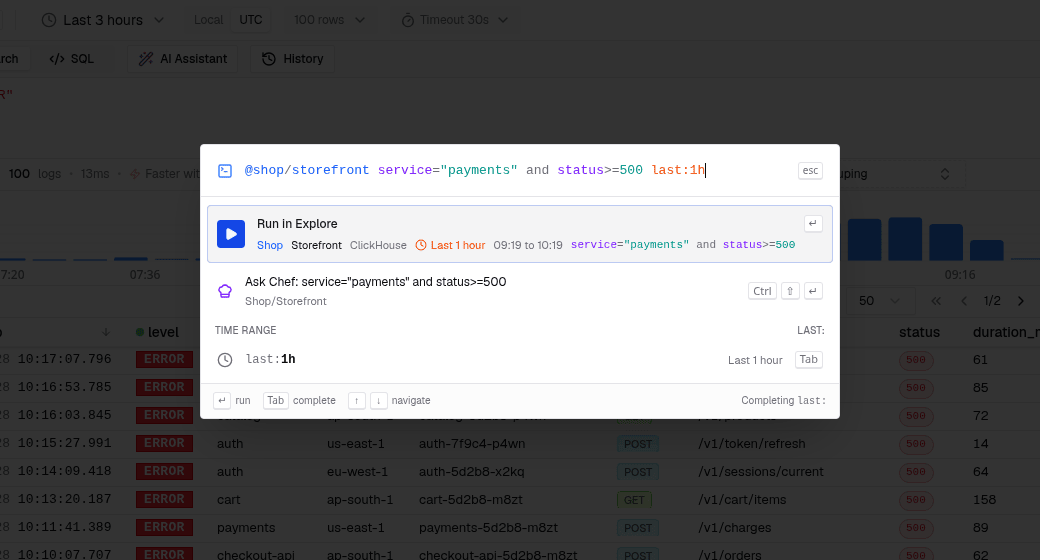
Section titled “Run a search in any source”Start with @team/source, then write a LogchefQL query
and an optional time range:
@shop/storefront service="payments" and status>=500 last:1h- Team and source names are typed in lowercase, with spaces and other
characters replaced by
-. A team namedShopwith a source namedEdge Accessis@shop/edge-access. last:takes a number and a unit:m,h,dorw(last:15m,last:7d). Without it, the search covers the last 15 minutes.- Press Tab to accept the team, source or range completion.
- The Run in Explore row shows the team, source, time range with concrete times, and the query. Enter opens the Explorer with the query running.
Filters on the current source
Section titled “Filters on the current source”On the Explorer, you can leave out @team/source. If you type a complete
LogchefQL filter over fields of the current source, such as
status>=500 and service="checkout-api", Run in Explore is the first row.
It runs in the current source and keeps the current time range.
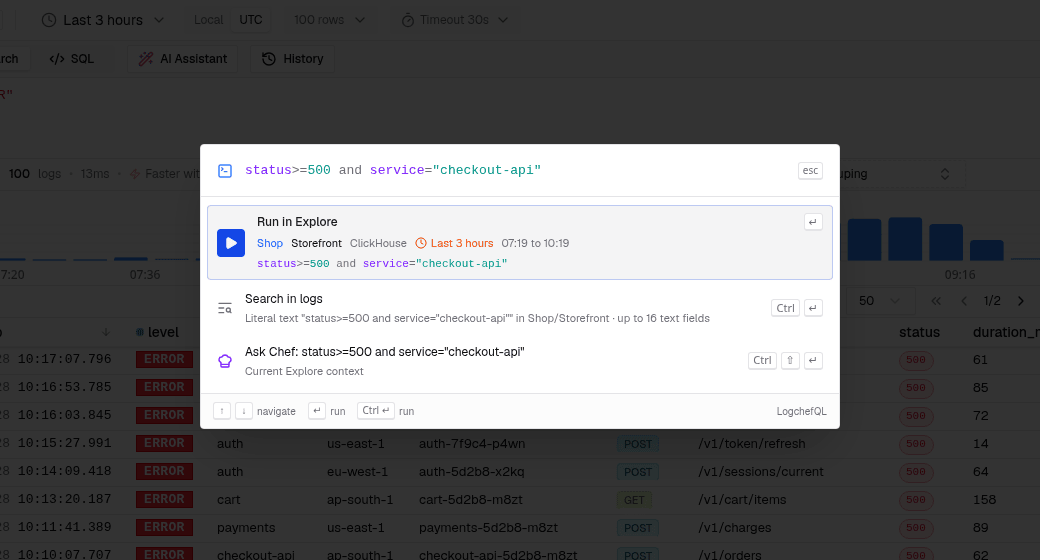
The palette treats input as a filter only when every comparison uses a field of the current source, an operator and a value. Plain words, URLs, unknown fields and half-typed filters are not filters.
Search for text
Section titled “Search for text”Any text can be searched as a literal: press Cmd+Enter or Ctrl+Enter, or pick Search in logs. Logchef searches the text fields of the current source.
Ask Chef
Section titled “Ask Chef”When Ask Chef is enabled, the
palette can start an investigation. Type a question and pick Ask Chef, or
press Cmd+Shift+Enter (Ctrl+Shift+Enter). Start the text with ? to
offer only the question:
? why did payments start failing@shop/storefront ? why did payments start failing last:3h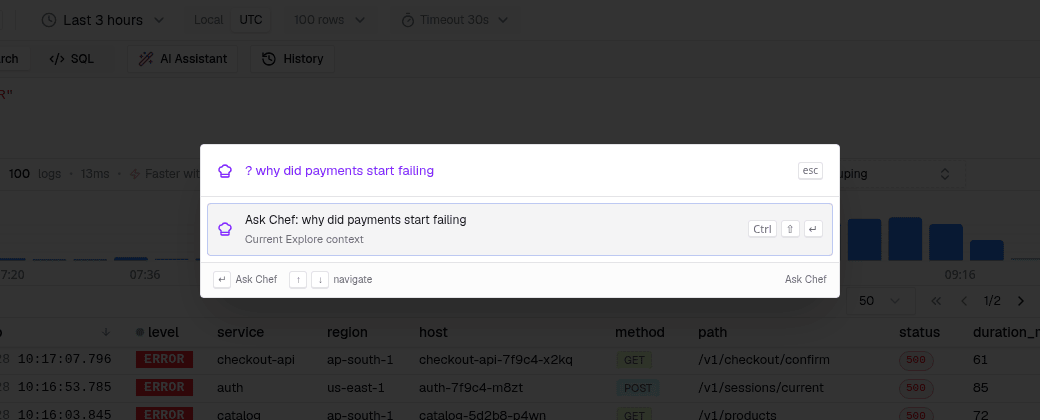
Logchef opens the Explorer on the scope, opens the Ask Chef drawer and sends the question as the first turn. The answer stays in the drawer.
- Scope: a
@team/sourcetag andlast:range set the scope. Without them, Ask Chef uses the source, query and time range open in the Explorer. On a page with no source, the palette keeps your question and asks you to pick a source. - Conversation: a question about the same source and time range continues the open conversation. A different scope starts a new one.
- Alerts: alert rows have an Investigate with Ask Chef action that starts from the alert’s latest firing.
- Results: on the Explorer with results, the empty palette offers Ask Chef about these results.
If you close the palette or leave the page before the Explorer opens, Logchef does not send the question. When Ask Chef is disabled, the palette shows none of these rows.
Keyboard shortcuts
Section titled “Keyboard shortcuts”| Keys | Action |
|---|---|
| Cmd/Ctrl+K | Open or close the palette |
| Up, Down | Move the selection |
| Enter | Run the selected row |
| Tab | Accept the completion |
| Cmd/Ctrl+Enter | Search the text as a literal |
| Cmd/Ctrl+Shift+Enter | Ask Chef |
| Esc | Close the palette |